

How It Works
Follow these steps
from Sign-up to Service Usage
These features are available only to primary accounts. Under Account Management and Subscription menus, you can manage all accounts registered under your company, verify/modify subscription states, and check transaction logs.
Subscription Management
Verify your current active subscription plans and apply for updates if needed.
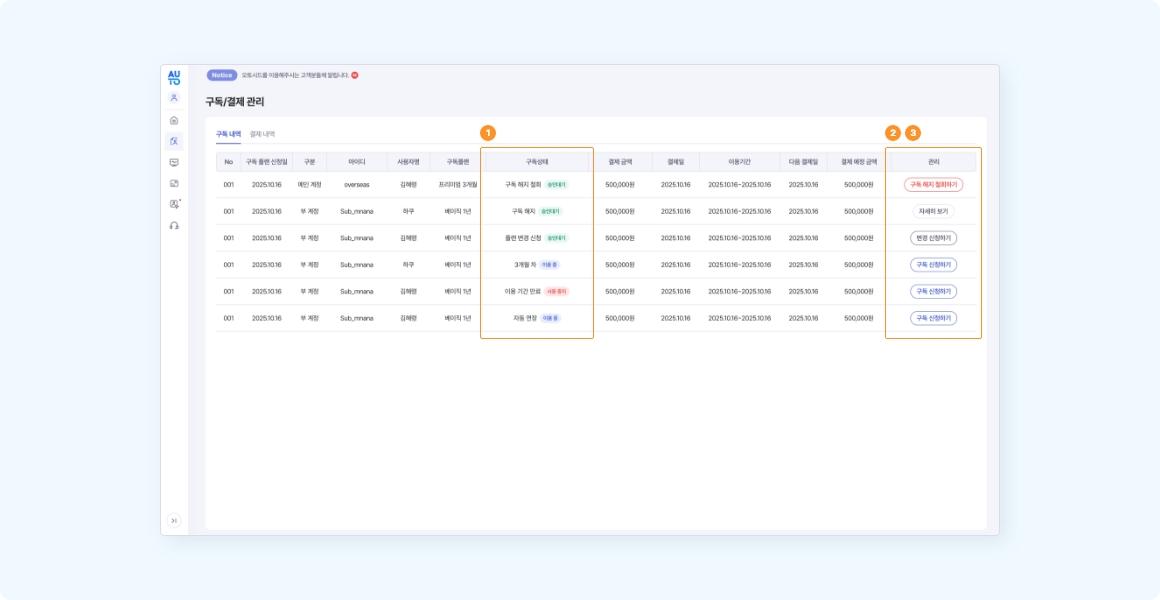
1Verify Subscription State
View currently subscribed plans and request modifications.
2Upgrade or Extend Plan
Request changes to other plan levels or extend the current subscription.
3Request Termination
Submit cancellation requests. The plan remains active until the end of the current billing cycle.
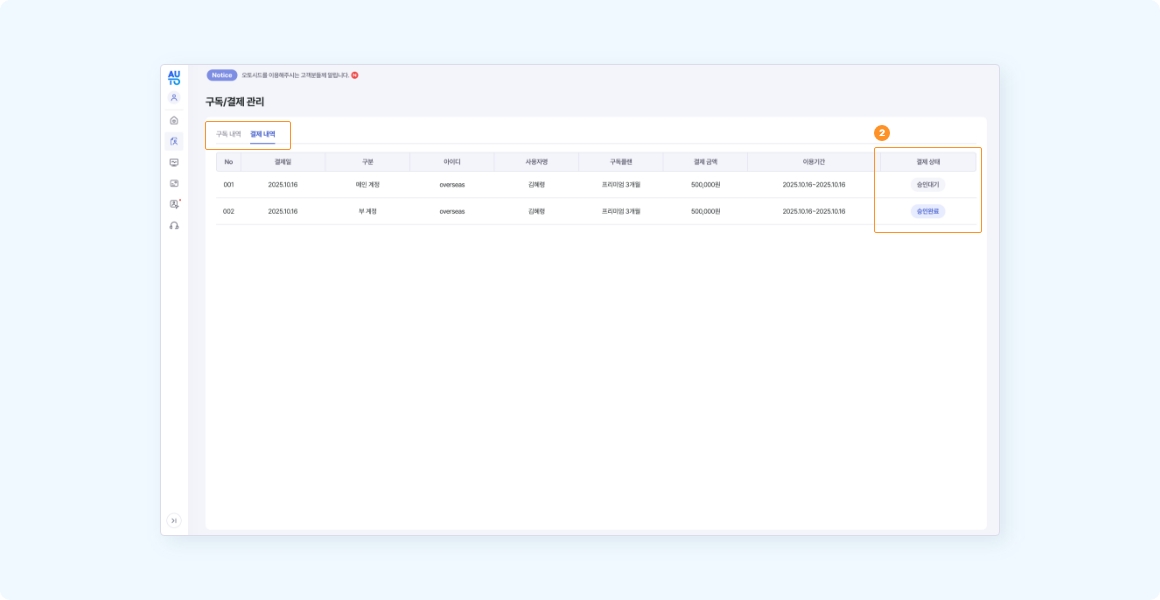
4Transaction History
Unlike the subscription list showing active plans, the transaction history lists actual payment events. Date, amount, and payment status are displayed for transaction tracking.
Account Management
In the Account Management menu, you can manage profile details, change passwords, and request account deactivation.
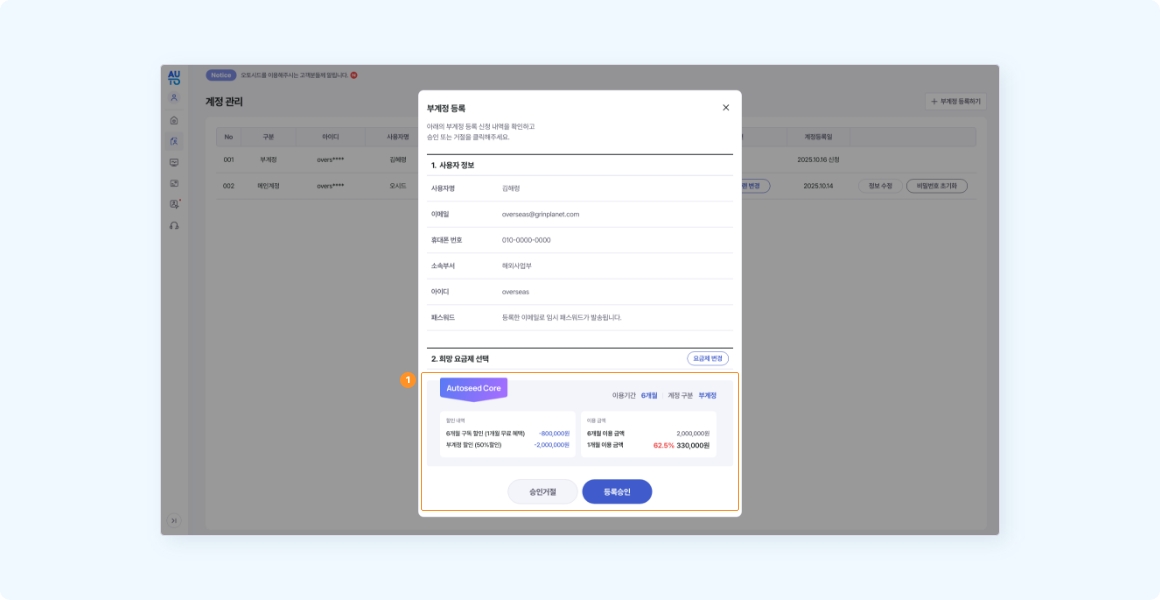
1Approve Sub-Account Registration
When another user requests to join as a sub-account under your company, they must be approved by the primary account. You can review details and approve/reject.
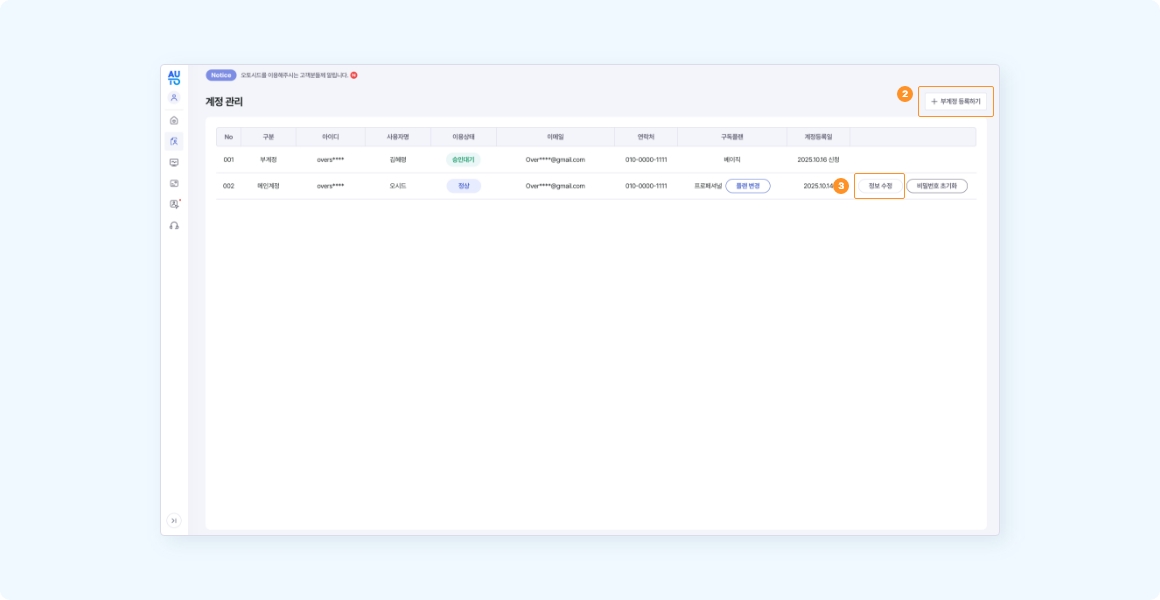
2Register Sub-Account
The primary account can register extra accounts directly. Input user info and select a subscription plan; once requested, the administrator will verify and send payment guidelines to both emails.
3Check and Update Profile
Verify registered name, email, contact info, etc. Some fields can be edited directly. Keep emails up-to-date as they are used for credentials recovery and notifications.
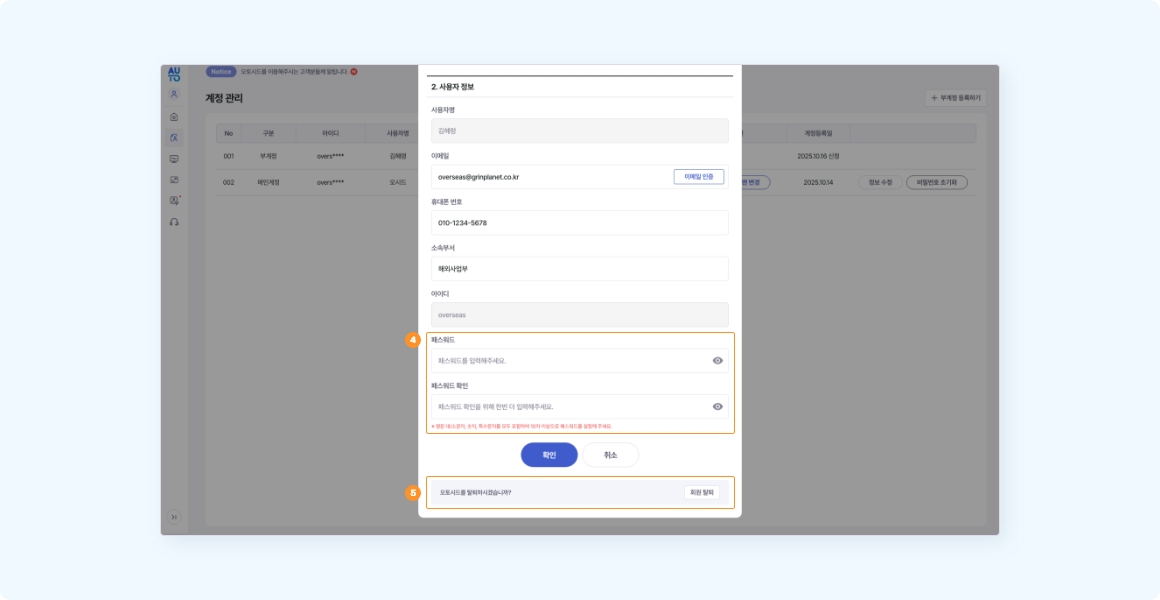
4Change Password
Reset passwords if forgotten. Clicking reset sends a temporary password to the user's email address.
5Account Deactivation
If you no longer wish to use the service, request deactivation. History including subscriptions and campaigns cannot be restored. Once completed, access is permanently disabled.