How It Works
Follow these steps
from Sign-up to Service Usage
Influencer search is a core feature of AUTOSEED, helping you find influencers that match your desired conditions quickly and easily. Search results differ depending on login and subscription status.
Basic Filters
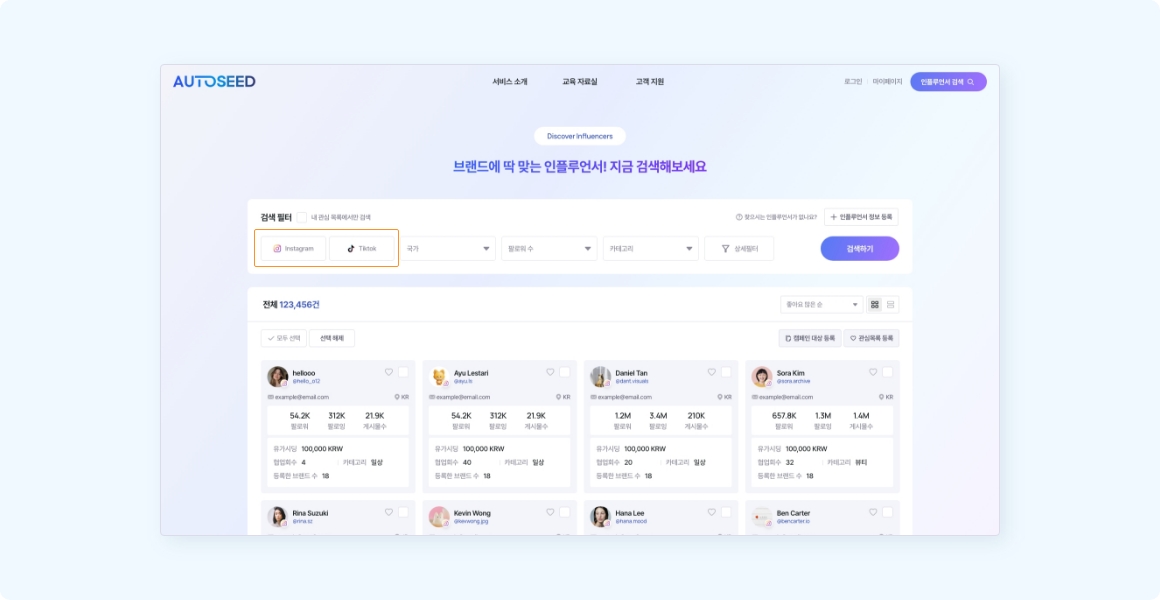
Select an active channel (e.g., Instagram, TikTok) to start searching. For TikTok, you can filter by TikTok Shop creators.
Guest users: Only 5 preview results are shown. Free/Non-subscribed users: Search is enabled, but full results are hidden. To view all results, please subscribe to a paid plan.
Paid subscribers: Access all matching search results with no limits.
Search inside Wishlist: Search targeting only influencers saved in your wishlist (Disabled for guests/non-subscribers).
Saving influencers you want to invite in the future to your 'Wishlist' makes it easier to check them next time.
Advanced Filters
Find influencers more precisely using advanced searches. Utilize each filter alone or in combination.
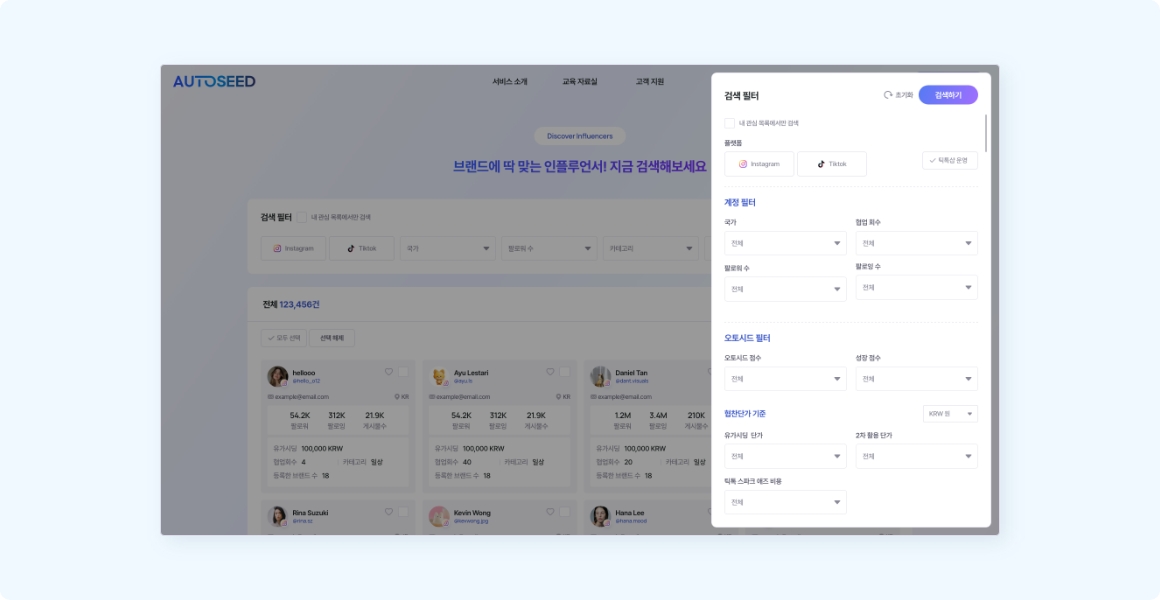
1Account Filters
Search conditions related to account status. Country: View influencers active in specific countries.
- Followers : Search based on the influencer's current follower count.
- Category : Search based on influencer interest categories or brands they have collaborated with.
- Country : Filter by the influencer's active country or countries they collaborated with on other brands.
- Collaboration Count : Search and filter based on the number of campaigns completed.
- Paid Seeding : Filter free seeding vs paid seeding, and search by budget ranges.
2MY Filters
After recording evaluations for campaign outcomes, you can filter influencers based on your ratings.
- Evaluation Score : Search influencers based on scores recorded for campaigns run by your company.
3Collaboration Cost
Filter by collaboration unit prices recorded after campaign evaluations.
- Collaboration Cost : Filter by influencer unit price (amount range).
- Currency Selection : Search based on preferred currency (USD, KRW, etc.) for paid seeding, secondary usage rights, or TikTok Spark Ads costs. Search is only possible if the recorded currencies match.
Using Search Results
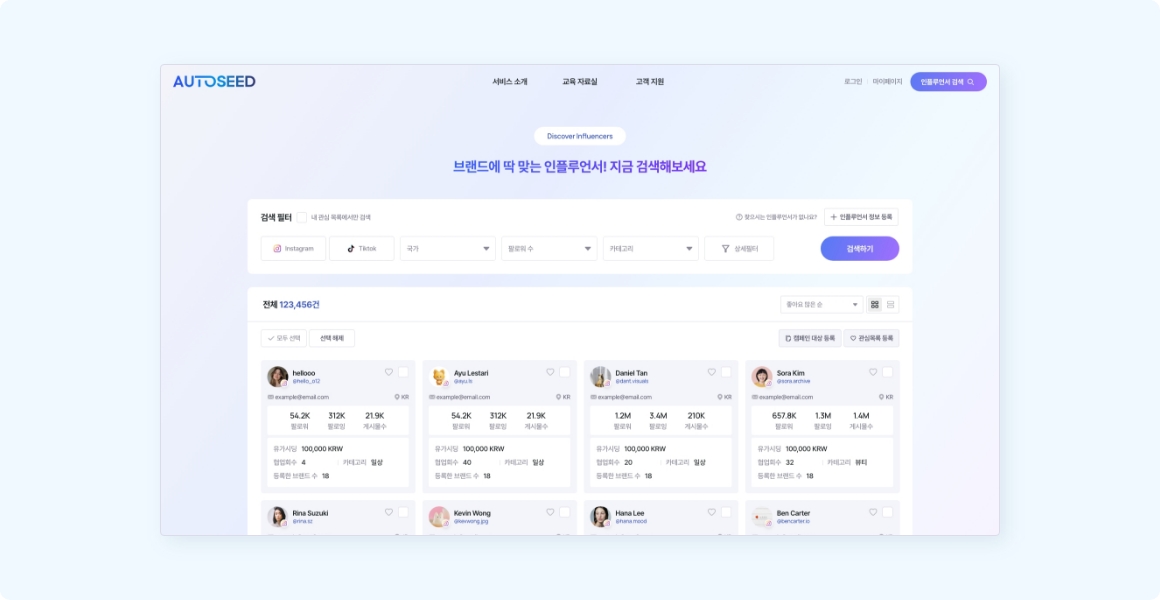
Clicking the top header of an influencer card redirects to their actual social profile. You can select desired influencers and save them to your wishlist or add them directly to campaigns.
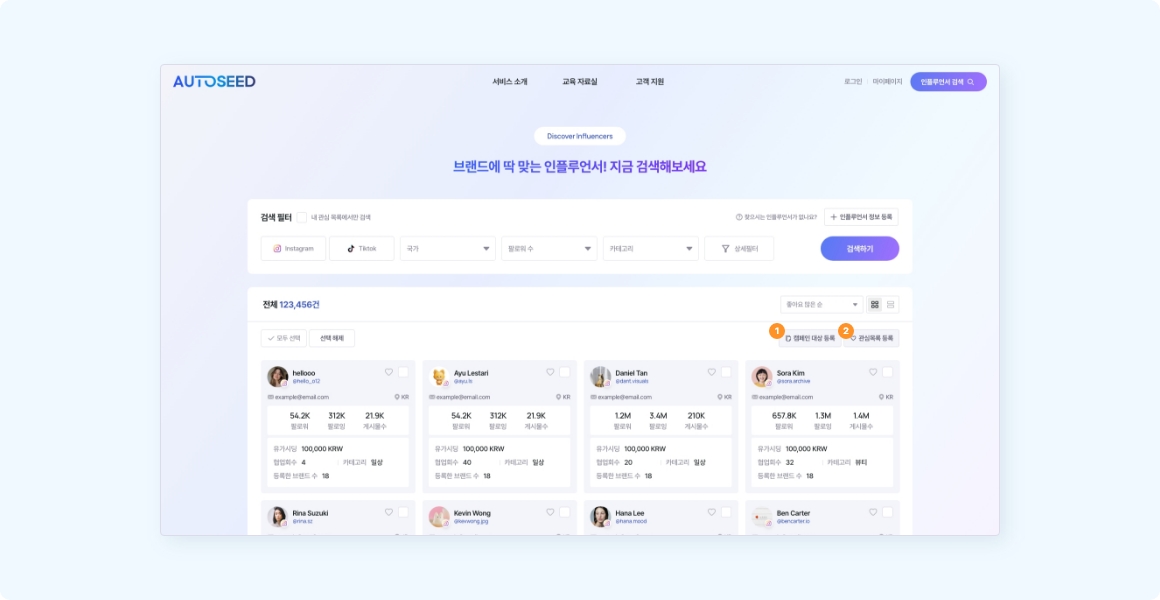
1Add to Campaign
Directly add creators to a specific campaign from the search list. You can add them to existing campaigns or create a new campaign on the spot.
2Add to Wishlist
Save influencers you like separately to manage them.
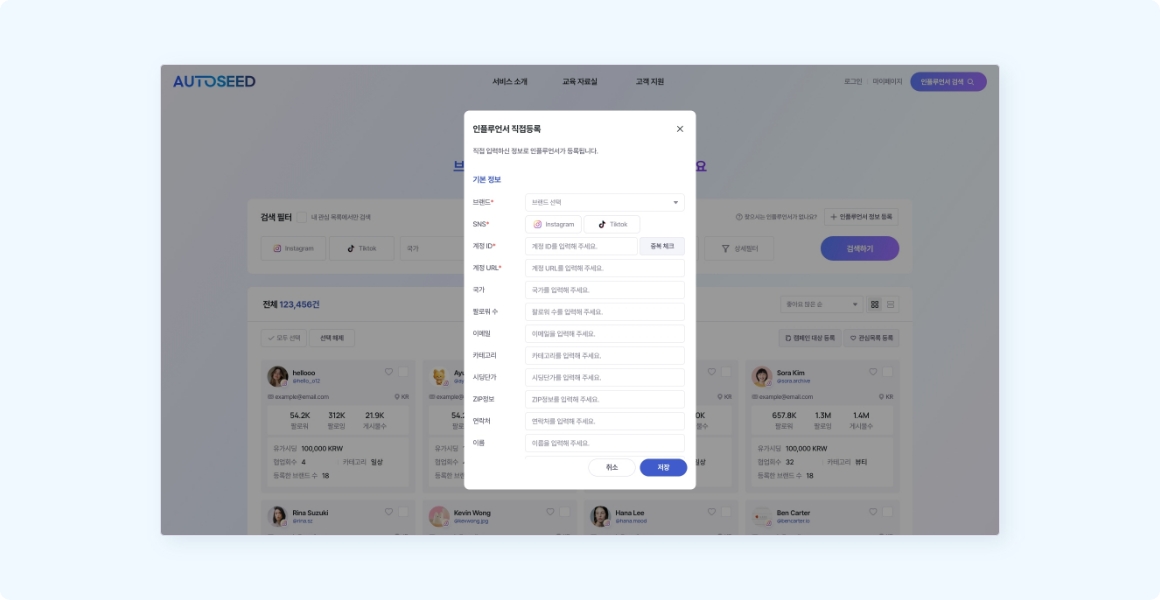
Direct Registration
If you subscribe to a paid plan, you can directly register influencers not found in the search results. Just enter their social account ID, and AUTOSEED will automatically fetch their profile and statistics within 3 days.